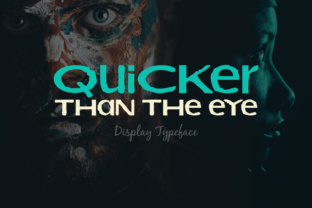
Quicker Than the Eye: A Bold Choice for Web Design
I was working on a new portfolio site for a freelance graphic designer when I hit a snag. The client wanted something modern, eye-catching, and professional—something that would immediately grab attention without overwhelming the user. I had a few fonts in mind, but none felt quite right. That’s when I stumbled upon Quicker Than the Eye.
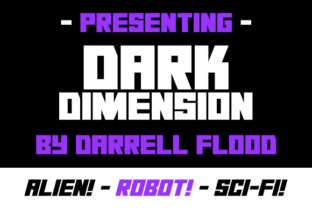
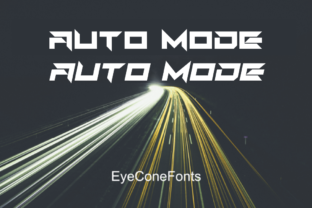
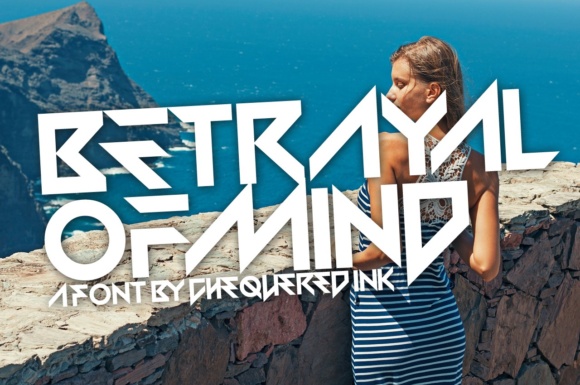
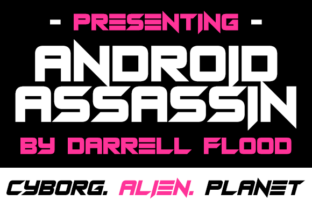
The first thing I noticed was its boldness. It's a display font with a strong personality—clean lines, sharp edges, and a sense of urgency that makes it stand out. I tested it in the hero section of the site, placing it over a simple image banner. The contrast between the bold text and the background made it pop, and it immediately drew the user's eye. It wasn’t just about aesthetics; it was about making a statement.
Visual Characteristics and Digital Appeal
Quicker Than the Eye has a modern, edgy look that fits well with contemporary design trends. Its letters are crisp and geometric, giving it a clean, high-impact feel. The font works best when used sparingly—like in headers or call-to-action buttons—because its bold nature can be overwhelming if overused.
One of the things I appreciated was how it handled different backgrounds. On a dark banner, it looked sharp and modern. On a light background, it still held up well, especially when paired with a subtle gradient or shadow effect. It’s versatile enough to work across multiple digital platforms, from websites to social media graphics.
Where to Use Quicker Than the Eye
This font is ideal for use in key areas of a website where impact matters most. For example, I used it as the main heading on a course sales page. The bold, confident look helped convey the value of the course without being too flashy. It also worked well for a boutique online store’s homepage, where the brand needed to make a strong first impression.
It’s not just for headers. I found that using Quicker Than the Eye on buttons and CTA elements added a level of urgency and professionalism. It’s great for short phrases like “Start Now” or “Join Today,” where clarity and impact are essential.
On a blog redesign project, I used it as part of the header design, pairing it with a simpler sans-serif font for body copy. This created a nice visual hierarchy and kept the design balanced. It’s important to remember that while display fonts like this one add character, they should be used strategically to maintain readability and usability.
Readability and Responsiveness
One of my concerns when testing Quicker Than the Eye was how it would perform on mobile devices. I previewed it on a variety of screen sizes and found that it maintained its clarity even at smaller sizes. However, I did notice that on very small buttons, the font could become slightly less legible. To address this, I adjusted the spacing and ensured that the contrast between the text and background was sufficient.
For dark backgrounds, I recommend using a lighter color for the text to ensure maximum readability. On light backgrounds, a slightly darker shade works best. Testing the font against different image overlays was also crucial to avoid any visual clutter or reduced legibility.
Font Pairing and Brand Consistency
When pairing Quicker Than the Eye with other fonts, it’s important to consider the overall brand identity. I paired it with a simple sans-serif font like Montserrat for body text, which provided a clean contrast and allowed the display font to shine without overshadowing the rest of the content.
For more editorial or magazine-style layouts, a serif font could work well alongside Quicker Than the Eye. This creates a dynamic interplay between the bold display font and the more traditional serif style, adding depth and visual interest to the design.
Consistency is key in branding, so it’s important to define where and how Quicker Than the Eye will be used. Whether it’s for logo text, headings, or decorative accents, having a clear strategy ensures that the font enhances rather than distracts from the overall design.
Technical Considerations
Before implementing Quicker Than the Eye on a live project, I checked the included styles, webfont availability, and file formats. It’s important to ensure that the font supports the necessary languages and characters for the target audience. Also, verifying commercial licensing is crucial, especially for client projects or online stores.
Using a webfont service like Google Fonts or Adobe Fonts can simplify the integration process. These services provide easy-to-use code snippets and ensure that the font loads efficiently without affecting performance. Checking for alternate weights and styles can also help in creating a more flexible typographic system.
Ultimately, Quicker Than the Eye is a powerful tool in a designer’s toolkit. When used thoughtfully, it can elevate a website’s visual appeal, improve user engagement, and reinforce brand identity. It’s not just a font—it’s a statement.